

Get started
Core concepts
Runtimes, evidence, verified behavior, and Atlas, and the objects that make them up
Agents do the work, and Revyl verifies it. Four ideas describe what Revyl does, and seven objects carry them.
Runtime
A cloud environment where an agent or a person runs software. Revyl's runtimes include:
- A session: a build of your app running in a Web browser (alpha), on an iOS simulator, or on an Android emulator. Agents and people use sessions from the dashboard, the CLI, MCP, or a proof run.
- A computer (alpha): a macOS computer in the cloud with a live desktop. Agents and people start one from the dashboard or the CLI, run commands and work with files on it, and run Web and iOS app sessions inside it.
Revyl records each one as evidence.
Evidence
What a session leaves behind: its report, with video, screenshots, step results, logs, and network traffic. A proof run adds a write-up with captioned screenshots.
Verified behavior
Behavior a run checked in the session. A validation step in a test, or
revyl device validation from an agent, checks one expected outcome. A
proof of changes verdict and its confidence score cover the behavior a pull
request changed.
Behavioral record
Atlas: the screens, pages, states, and transitions Revyl has observed in your app, each tied
to the evidence it came from. It belongs to your organization. People open it in the dashboard,
and agents query it with revyl atlas and the Atlas skill.
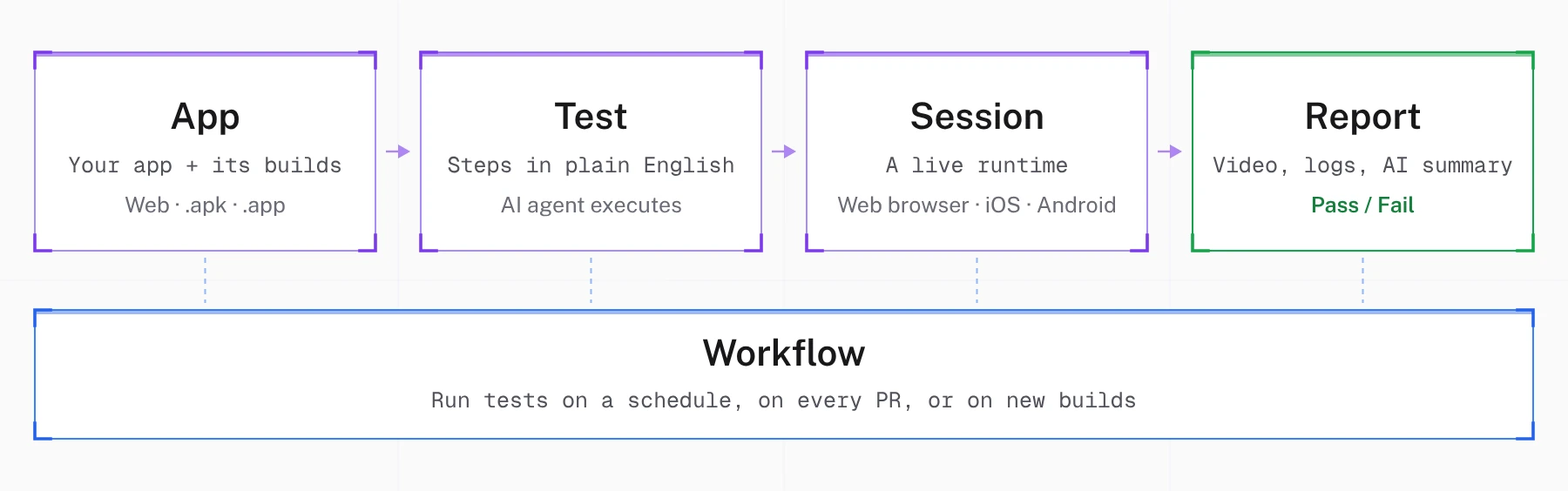
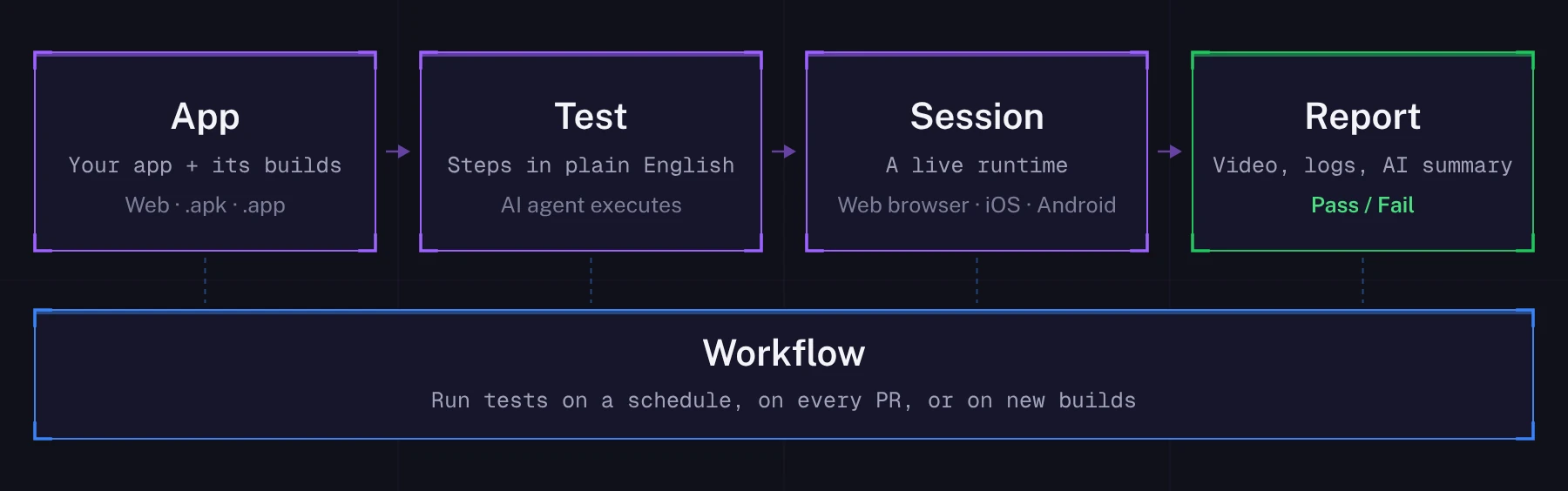
App
Your application in Revyl. An App is a container for builds: Web Preview, iOS Production, Android Staging, whatever variants you ship. Create one App per platform and per build configuration, such as a separate bundle ID or backend. Use branches, not new apps, for lines of work like main and staging. See Apps.
Branch
A named line of builds in an App, such as main or feature-login. Each App has a default branch, the branch of its first upload (base until then), and each branch has a default build: its newest usable build, or a build you pin. CLI uploads go to the branch named after your Git branch, and runs from the CLI, MCP, and CI try it first when nothing else picks a branch. See Build branches.
Build
A specific version of your app in an App: a bundle or deployment URL for Web (alpha), a simulator .app for iOS, or an .apk for Android. Each build belongs to one branch.
Test
A sequence of steps that runs against a build in a session. Steps are written in natural language ("Tap Sign In", "Verify the home screen loads") and the AI agent executes them. See Tests.
Session
Your app running live: in a Chrome browser for Web apps (alpha), or on an iOS simulator or an Android emulator. Revyl starts one when you run a test or start a session yourself, and you can interact with it. Sessions can also be compiled into tests. See Sessions.
Report
The output of every test run. Includes pass/fail status, video replay, AI summary, logs, and network activity. Reports are shareable via public links. See Reports.
Workflow
A named group of tests that run together in parallel, subject to a saved or run-specific cap and your organization's device concurrency. Trigger a workflow from the UI, CLI, API, or CI/CD to run your whole suite in one go. See Workflows.