

Partners
Partners
Put live Revyl sessions inside your product, and give your users the reports those sessions produce and their workspace's Atlas.
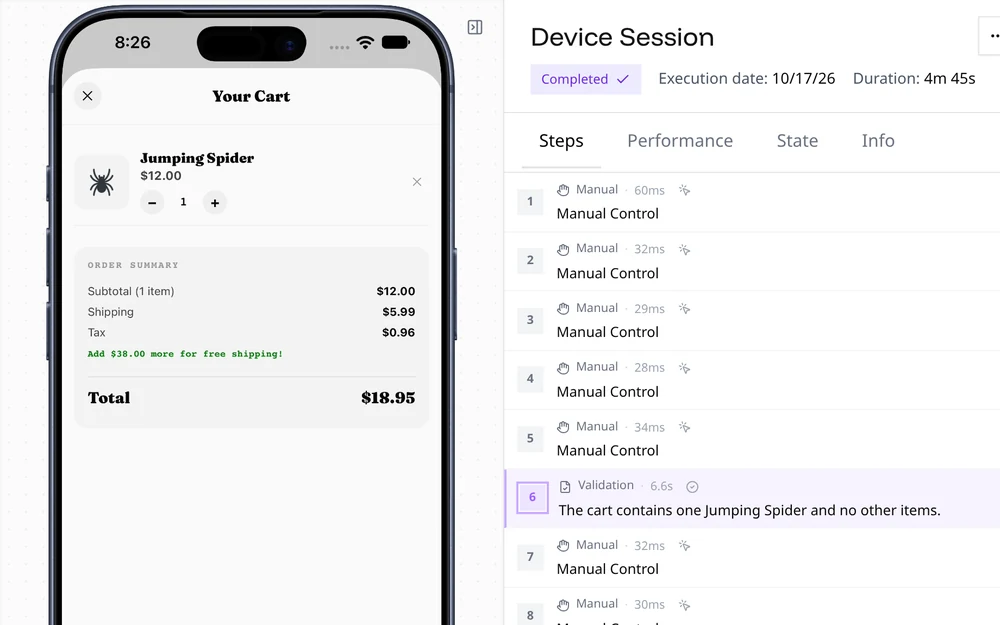
A partner integration lets your platform give each of your customers a Revyl workspace and run Revyl for them. Your product starts live sessions in that workspace and can embed a live device in your own UI. Your users then open what those sessions recorded, such as reports and test results, in their own Revyl workspace, along with its Atlas.
To become a partner, email support@revyl.ai. Revyl issues your partner API key and turns your integration on.
The partner API is available to approved partners. Revyl turns it on for your platform in each
environment and may turn on your customer accounts one at a time. Connecting an account that
isn't turned on answers 403 partner_not_allowed.
What it looks like
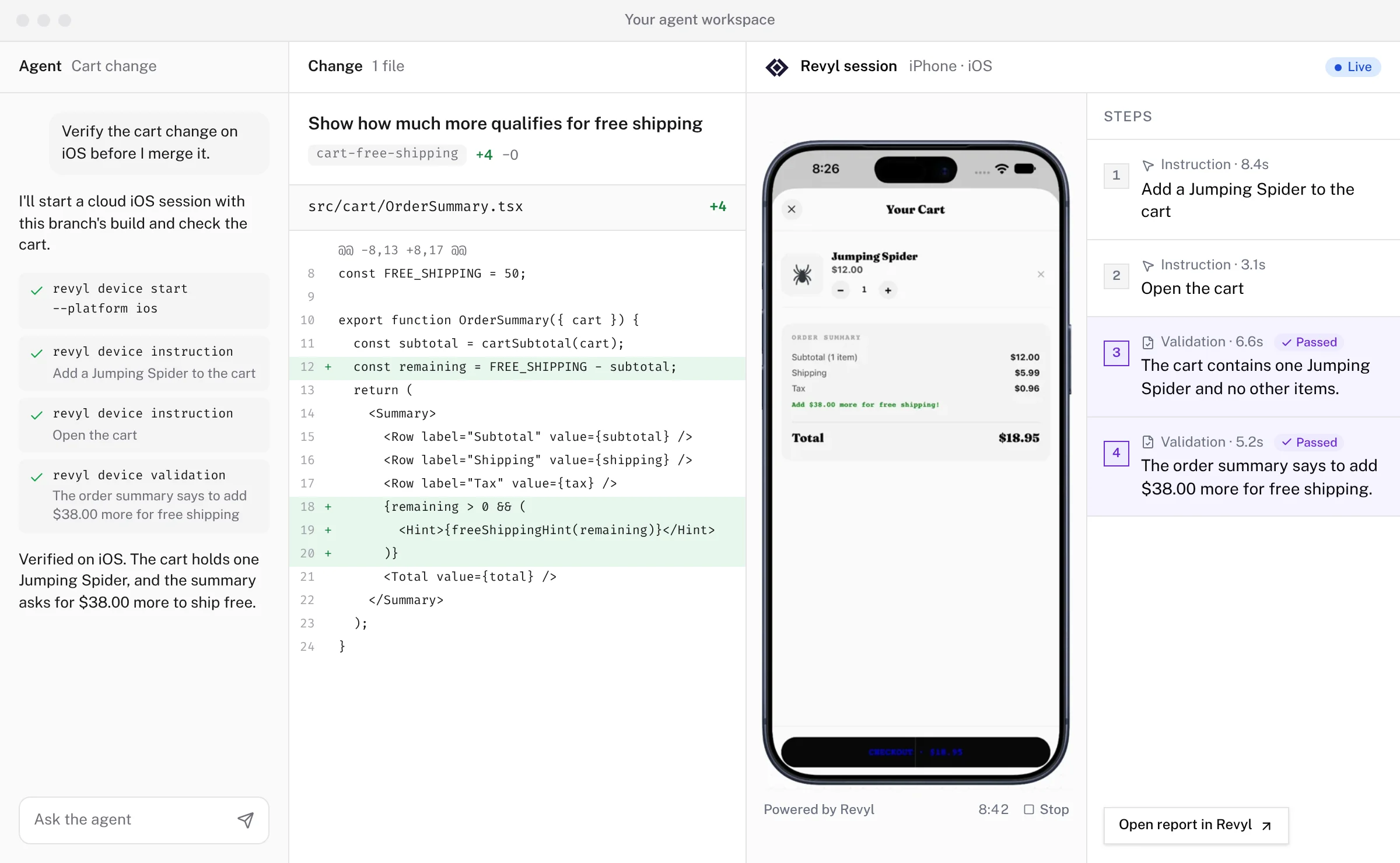
What you can build
- Run Revyl for each customer. Connect a customer account, and Revyl creates a workspace for it or links one the customer already has, after an Owner or Admin approves. See Connect accounts.
- Start sessions and tests. The connection credential works like a Revyl API key for that one workspace, so your backend can create apps, upload builds, start cloud devices, and run tests with the CLI or the API.
- Show a live device in your product. Create an app embed in the
workspace and mint a one-time embed URL for each user. An embed starts its own session when the
visitor clicks start; it can't show a session your backend started. Embed sessions are billed to
the customer's organization, not to your platform, and an embed keeps working after a disconnect
until you revoke it. Revoke your embeds with
DELETE /api/v1/embeds/{embed_id}before you disconnect. - Give users their data. A dashboard link sends a person to the workspace in Revyl, where they sign in and see its sessions, reports, test results, and Atlas.
What a connection can do
A connection credential has a Member's access to the one organization it's connected to. When a customer approves a connection, Revyl shows them this list, word for word. A workspace Revyl creates for the account gets the same access without an approval step:
It can:
- Use this organization with a Member's access, except as listed below
- Create apps, upload builds, and run cloud builds
- Start iOS and Android cloud devices and run tests
- See sessions, reports, and test results
- Read your variables, including secret values
It can't:
- Change your plan, payment details, or overage settings
- Invite or remove members
A few surfaces that need a signed-in person also refuse connection credentials, including Web sessions.
Approve a partner connection shows the same request from the customer's side.
How it works
Get a partner API key
Email support@revyl.ai. Your partner key identifies your platform to the partner API. Keep it on your servers.
Connect a customer account
Call POST /api/v1/partner/connections with your ID for the account and the email of the
person enabling it. Revyl either creates a workspace and returns a credential, or asks an
Owner or Admin to approve.
Collect the credential
After approval, poll for the connection credential. It expires on its own, and you can rotate it at any time.
Run sessions for the customer
Use the credential with the CLI or API. For a short-lived runtime, such as a VM, mint a session credential that expires within four hours instead.
Send people to their workspace
Request a dashboard link when someone wants to open the workspace in Revyl.
Disconnect
When the customer leaves, disconnect the account. Its credentials stop working, and the sessions started with them stop. App embeds keep working until you revoke them. The workspace and its data stay with the customer.